Ages 10–14Real Python, in the browser

Python for kids. Learn real code by playing.

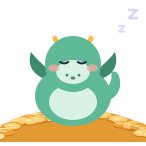
There's a dragon asleep on a pile of gold. It only wakes for one thing: real Python code, written by you.

  • No account to try
  • Nothing to install
  • No ads, ever
topics, in a set order
14
hands-on exercises
201
topics free, start to finish
3
one-time, no subscription
$49.99 — PRO pricing

The core idea

Not a quiz between levels. The code is the controller.

The dragon reacts to exactly what was written — what got printed, which branch the if took, how many times the loop ran.

1print()

Say it, and the dragon says it.

The first line a child writes. Whatever sits inside the quotes comes out of the dragon's mouth — letter for letter, typo for typo.

wake.pyPython 3
print("Wake up!")
OutputWake up!

Wake up!

print("Wake up!")speaks

2if · elif · else

Change one number, change the decision.

Set gold to 80 and the dragon goes back to sleep. The branch that runs is the one the code chose — not the one the child hoped for.

guard.pyPython 3
gold = 120if gold > 100:    print("Guard the hoard!")else:    print("Back to sleep...")
OutputGuard the hoard!

Guard the hoard!

gold > 100True

3for · range()

Three flaps. Not four.

range(3) counts 0, 1, 2 — and stops. Every topic is built around a mistake beginners really make, so this one gets met head-on instead of discovered later.

fly.pyPython 3
for i in range(3):    print("Flap!")
OutputFlap! Flap! Flap!

0Flap!

1Flap!

2Flap!

range(3)0, 1, 2

How a topic teaches

Explained, asked, guided — then on their own.

Every idea runs the same four-step cycle. A child is never handed an empty editor and told to figure it out.

  1. The dragon explains

    One idea at a time, in short steps a child clicks through — never a wall of text before the first thing they get to do.

  2. It asks a question

    A quick check that the idea landed, answered before any code is written. A wrong answer is explained, not just marked wrong.

  3. A guided task

    The first attempt comes with help in reach — the shape of the answer is there, and the child completes it.

  4. Then on their own

    Two or three tasks with no scaffolding, ending in a challenge that combines everything in the topic and introduces nothing new.

Stuck three times? The answer is offered — unasked.

After three failed runs the game offers the answer without being asked. Getting stuck is normal; staying stuck until a child gives up is a design failure, so the help arrives on its own.

Pricing

Start free. Pay once — only if you want the rest.

No subscription, no renewals, no time limit on the free part. The paid tier adds topics; it never takes anything away.

Free: the first 3 topics, complete

Execution order, print() and variables — every segment. No card required, and the first level needs no account at all.

Pythonoid PROOne-time

$49.99Pay once.That's it.

  • All 11 remaining topics — if and loops through functions, errors and clean code
  • The optional challenge track
  • No subscription. No renewals. No ads.
Unlock PRO

For parents & teachers

Made for the grown-up deciding, too.

  • No ads, no tracking

    There is no advertising anywhere in Pythonoid, and no analytics software of any kind — nothing measures what a child clicks or how long they play. What is stored is an account, its progress, and nothing sold or shared with anyone.

  • Real Python, not blocks

    Every line a child writes is genuine, runnable Python — the same language used in industry. Nothing has to be unlearned later, because there is no drag-and-drop stand-in to unlearn.

  • Nothing to install

    Python runs inside the browser tab itself, so it works on a school-managed device. Code a child writes never runs on our servers.

Questions parents ask

What age is Pythonoid for?

Ages 10 to 14. That lower bound is deliberate: meaningful code typing — reading error messages, matching brackets, spelling keywords exactly — generally becomes comfortable around 10 or 11. A younger child can absolutely enjoy it alongside an adult, but the reading and typing load is pitched at 10+.

Does my child need to know how to program already?

No. The first topic starts from the very first line of Python, and assumes nothing. Basic comfortable typing and reading is all that is needed.

How much does it cost?

The first 3 topics are free, start to finish, with no time limit and no card required. Everything after that — every remaining topic plus the optional challenge track — unlocks with a single one-time PRO purchase: $49.99, no subscription.

What do you collect about my child?

An account needs an email address and a password, or a Google sign-in — that applies to every player, including children. Alongside it we store progress: levels finished, stars, and which plan the account is on, plus a nickname if your child chooses to set one. No real name is asked for, no date of birth, no address or location, and there is no analytics software of any kind. Nothing is sold, shared, or shown to other players, and there is no advertising in the game. The Privacy page lists every field exactly, and names the one third-party script that does run.

Does it install anything?

No. Python runs inside the browser tab itself — there is nothing to install, no account needed on the computer, and it works on a school-managed device. Code a child writes never runs on our servers.

Is this real Python, or a simplified version?

Real Python. The same interpreter, the same syntax, the same error messages. Code written in Pythonoid would run unchanged in any Python environment.

The dragon is still asleep.

One line of Python wakes it. About thirty seconds — and no account needed.

Play the first level free